
Searching the Omega Court Docket
Omega does not publish a municipal case-number search, document viewer, or court calendar. Start with the citation and identify its issuing court. For an Omega city ticket, the GovernmentWindow system can test payment availability or send a notice when data posts. The official docket, court date, disposition, and copy procedure come from Court/City Clerk Yolanda Baker at (229) 528-4400. If the paper names Tift State or Superior Court, use the county route instead.
- Read the issuing court, ticket number, name, and appearance date.
- Open Omega GovernmentWindow and choose Traffic Tickets, not Utility Bills.
- Use the last six citation digits or exact driver-license number for a notification.
- If no city result appears, call the Omega clerk before changing courts.
- When a transfer or county filing is confirmed, run a Tift County case lookup.
Omega Portal Has Two Paths
The official Omega GovernmentWindow start page presents Traffic Tickets beside Utility Bills. The shared landing page can cause a basic routing error. Only the traffic choice relates to a citation; a utility account cannot locate an Omega court docket. The page lists the Court/City Clerk and city contact details, which provide the fallback when ticket data is absent or late.
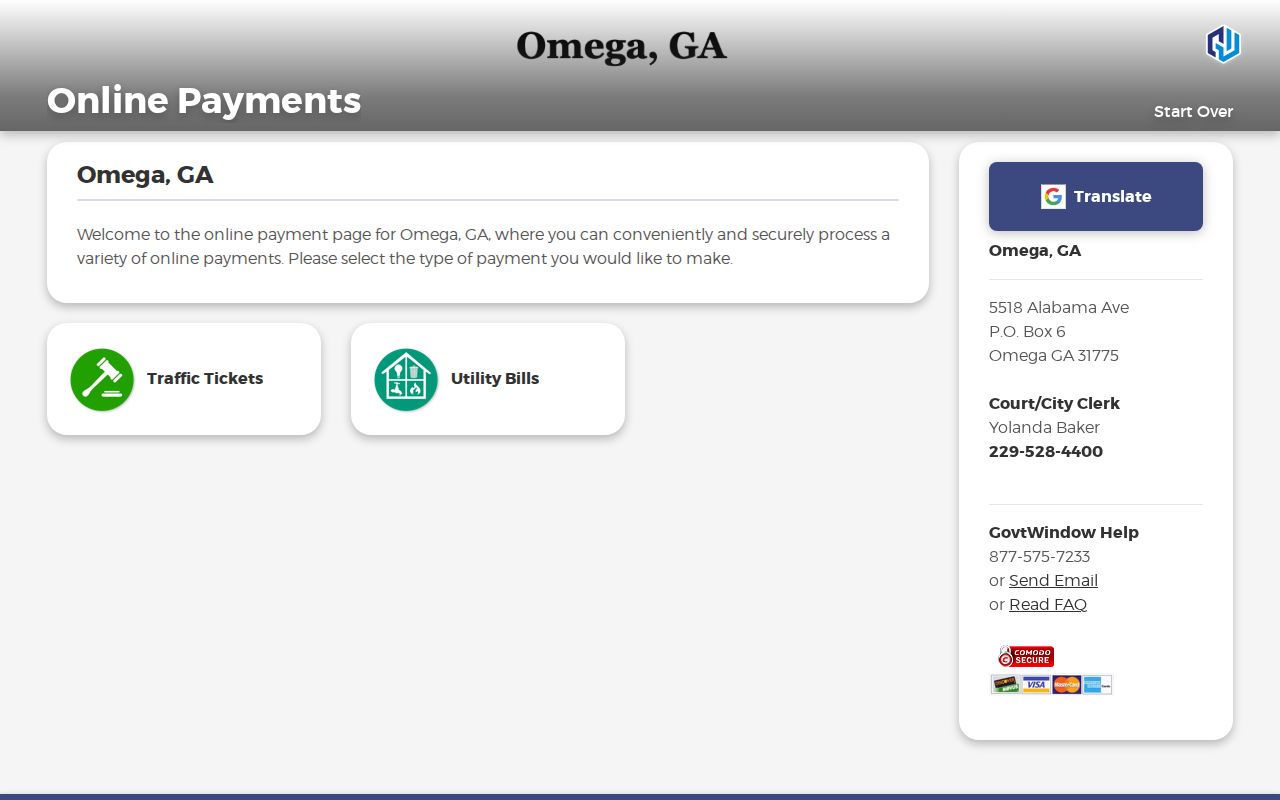
The source image shows why selecting the right branch matters before entering any identifier.
Omega Municipal Court Basics
An Omega municipal channel handles city traffic and ordinance matters within the authority Georgia gives municipal courts. The current official sources do not publish a judge name, recurring session day, calendar, case-search form, or document viewer. Do not fill those gaps with a former officeholder or a schedule from another city. The citation and direct clerk confirmation control.
Yolanda Baker is listed as Court/City Clerk at 5518 Alabama Avenue, P.O. Box 6, Omega, GA 31775. The published telephone number is (229) 528-4400. Ask that office who holds the original file, whether an appearance remains required, and how a plain or certified copy may be obtained.
Omega Notification Fields
The Omega ticket notification page requires an email address or mobile number. It also asks for either the last six digits of the ticket or citation number, or the driver's exact license number, followed by verification. These fields match a transaction record. They do not expose the chronological entries, filings, plea, or judgment expected in a docket.
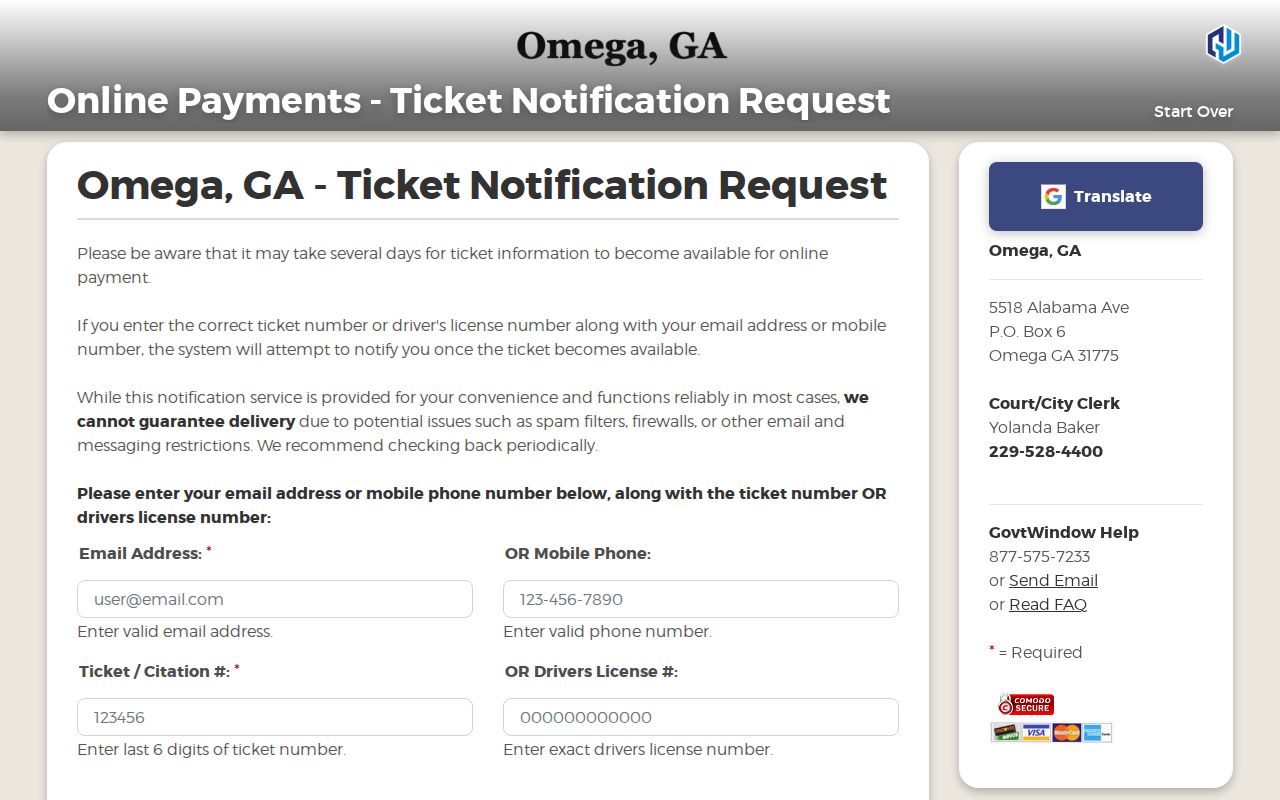
The captured fields show the narrow purpose of the Omega notification service and the details needed to use it.
Court Dates and Settings in Omega
No current public Omega calendar was located. Read the date and time printed on the citation, then call the clerk to confirm whether that setting remains active. A ticket becoming payable online does not show that court was canceled. Likewise, an unavailable transaction does not prove a reset or dismissal. Only an official notice, docket entry, or clerk confirmation resolves the status.
| Date | Citation date or a later setting confirmed by the clerk |
|---|---|
| Time | Time printed on the notice; no recurring public schedule found |
| Courtroom | Location stated by the citation or Omega clerk |
| Judge | Current assignment must be verified; no official listing found |
| Setting Type | Appearance, hearing, trial, compliance, or reset |
Omega Vendor Timing and Fees
The GovernmentWindow vendor warns that citation data may take several days to become available. Its FAQ also says a third-party service fee applies and that past-due tickets may require direct contact with the clerk. The exact fee should be reviewed at checkout because the research does not establish a fixed Omega amount.
Paying before court is treated as a guilty plea and can carry license points. A person who intends to contest the citation should not use a payment form as though it were a hearing request. Ask the Omega clerk what response the citation permits and which date controls.
Traffic Tickets in Omega
An Omega city citation starts with the city channel shown on the ticket. Use GovernmentWindow to check whether an eligible ticket is available, but retain the paper citation and follow its appearance instructions. The portal does not advertise a name-based docket search or a copy of the case file. Contact the clerk for the charge, date, plea options, disposition, and record request.
A county or Georgia State Patrol citation may belong to Tift State Court rather than Omega. The Tift County traffic ticket route explains PayYourTix and State Court procedures. That is the second and final body cross-link because county-wide detail belongs on the county page.
Payment Is Not an Omega Docket
A successful transaction shows that a vendor accepted money for the matched ticket. It does not necessarily display every docket entry, whether a later filing occurred, or how the clerk recorded the final disposition. Save the receipt, then ask for the court record if proof of outcome is needed. A certified disposition must come from the custodian, not from a screenshot of the payment page.
The distinction also works in reverse. No portal match may mean data has not posted, the identifier was entered incorrectly, the ticket is past due, or the matter sits with another court. It is not proof that the charge disappeared.
Where Omega Cases Go
City traffic and ordinance files begin with Omega. Felonies and broad civil matters belong in Tift Superior Court. State Court handles county misdemeanors, unincorporated traffic, and matters received from a municipal court when the law requires transfer. Magistrate handles civil claims up to $15,000 as well as warrants and preliminary stages. The place name alone cannot identify the docket.
Docket flow: Omega Municipal Court › Tift County Courts › Superior Court
If a clerk confirms that a matter moved, request the transfer date and receiving case number. Search the original city record and receiving county docket because each custodian documents a different part of the path.
Omega and County Records Compared
Omega city records concern city government and the municipal citation route. The Tift County Clerk of Superior, State and Juvenile Courts holds State and Superior files at 237 E. 2nd Street in Tifton. re:SearchGA covers participating Tift State and Superior cases, but it is not a replacement for the Omega clerk's original city citation file.
Use the issuing agency and court printed on the citation. A municipal ticket should not be routed to the county merely because Omega lies in Tift County. A felony or county civil case should not begin with GovernmentWindow simply because the events occurred near Omega.
Omega Population and Boundary Context
The official 2020 Census incorporated-place table counted 1,318 people in Omega. Census geography may place parts of Omega across the Tift and Colquitt boundary. That geographic clue matters because a city name does not always settle which county court holds a nonmunicipal case. The citation, filing stamp, or clerk confirmation remains the better routing evidence.
The official incorporated-place table supplies the population context.
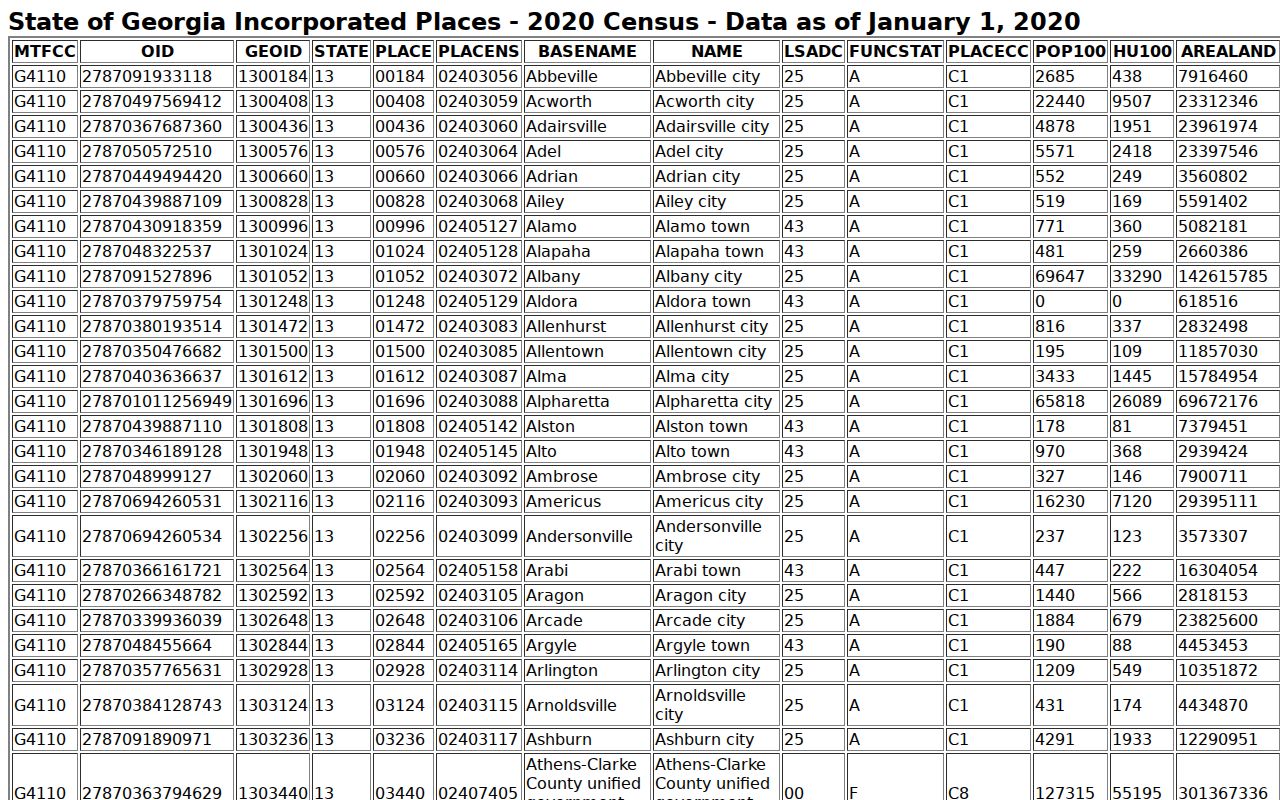
The source establishes Omega as a profiled city without claiming that population or a mapped boundary identifies any individual court file.
Verifying Omega Court Contacts
The current payment source lists Yolanda Baker as Court/City Clerk with the Alabama Avenue address and (229) 528-4400. Use that current official listing instead of an old biography or third-party directory. A former State Court judge's biography mentions prior service in Omega, but it does not establish the present municipal judge. No current official judge listing was found.
Ask the clerk to confirm the court name, custodian, date, location, and available copy formats. Record the date of confirmation because personnel and vendors can change. This careful approach preserves the documented portal gap instead of turning an old reference into a present fact.
Reading Omega Citation Status
A citation file may include the ticket number, defendant name, charge, appearance setting, plea, bond, notices, judgment, disposition, and any transfer reference. GovernmentWindow exposes only the fields needed to match a payment or notification. It does not publish an Omega-specific field guide for the docket itself.
- Setting
- The scheduled court event, which should be confirmed with the clerk.
- Disposition
- The recorded outcome, not merely a payment confirmation.
- Reset
- A changed setting date; it is not a dismissal.
- Transfer
- A move to another court that may create a second case number.
Ask for the exact record that answers the question instead of requesting an undefined background search.
Missing Omega Ticket Results
First recheck the last six citation digits or exact driver-license number. Confirm that Traffic Tickets, not Utility Bills, was selected. Allow for the vendor's stated posting delay. If the appearance date is close, already passed, or the portal still fails, call (229) 528-4400. Do not wait for an automated notice when the citation itself requires action.
Ask whether the file is active, past due, transferred, or held under a corrected identifier. If Omega does not hold it, request the exact name of the receiving court. That answer is more reliable than trying unrelated county portals until a similar name appears.
Requesting an Omega Court File
Make a narrow request to the Omega custodian. Supply the name as printed, citation number, approximate issue date, and a description such as docket sheet, citation, notice, judgment, disposition, or transfer entry. State whether a plain or certified copy is needed. Ask about current fees, payment methods, redactions, and delivery before sending money.
If the ordinary copy process does not resolve the request, Georgia's open-government procedures support a defined records request. That route does not override sealing, confidentiality, or protected personal data. A request for a named document is easier to process than a demand for all records linked to a person.
For an Omega request, include a working telephone number or email so the custodian can clarify the scope or provide an estimate. Describe the Omega record by its own fields rather than by a broad purpose. If certification is needed, say so at the start because a plain portal printout and a certified court copy serve different needs. Keep the Omega clerk's response, the quoted fee, and proof of delivery with the requested record. If the Omega office confirms a transfer, direct the next request to the named receiving court and include both identifiers.
Omega Court Record Access Rules
Public access starts with the clerk who keeps the Omega file. Ask to inspect or obtain the specific docket, citation, order, or disposition. Electronic access rules do not require every court to publish every record online. Sealed material, protected identifiers, juvenile information, and records made confidential by law remain restricted.
Key Rules:
Georgia Open Records Act - an agency generally must produce a defined public record or explain the response timing within three business days.
Georgia electronic-access rules - online access supplements, rather than eliminates, direct access through the court.
Georgia municipal courts - municipal courts handle city ordinance and traffic work within state law.